
A community issue tracker where residents confirm the fix
Pukaar is a Logos Basecamp app that tracks faults at a shared site, such as a camp, a building or a neighborhood. A steward can say the streetlight is fixed, but only the person who reported it, or two other residents, can make that true. Nothing is deleted, and no server holds the only copy.
Pukaar means a call, a cry out. Here, a call stays on the record until the people who made it agree it was answered. Private chat (one to one and in groups) and meetings for up to eight people are built in.
- An Issue Tracker. Members report faults and follow each one from reported to fixed.
- Two-key closure. A steward claims the fix. The reporter, or two other residents, confirm it.
- Talk in the same app. Private chat and meetings, with no server to run.
- Roles and a record. Residents, stewards and admins, an identity backup, and an Integrity page.
Read more in the README, Features and roles and How it works. This page installs version v0.4.2.
What you need to install it
- Logos Basecamp 0.3.1 or higher. Download it first, then open it.
Download Basecamp 0.3.1 - A Mac with Apple silicon, or 64-bit Linux. Linux can be Intel, AMD or ARM. Intel Macs and Windows are not supported. The release packages hold builds for
darwin-arm64,linux-amd64andlinux-arm64. - An internet connection. Messages travel over the Logos Delivery development network.
- Every person at a site must run a Pukaar build that uses the same network.
Choose how to install
Pick one way. Most people only need the first.
Add a package source
Basecamp keeps a list of sources it can install apps from. Add the Pukaar source once. Then Basecamp installs Pukaar and the modules it needs.
-
Copy the Pukaar source link
You will paste this link into Basecamp in step 5.
https://raw.githubusercontent.com/adysingh5711/pukaar/main/public/install/logos-repo.json -
Open Basecamp, then Manage Packages
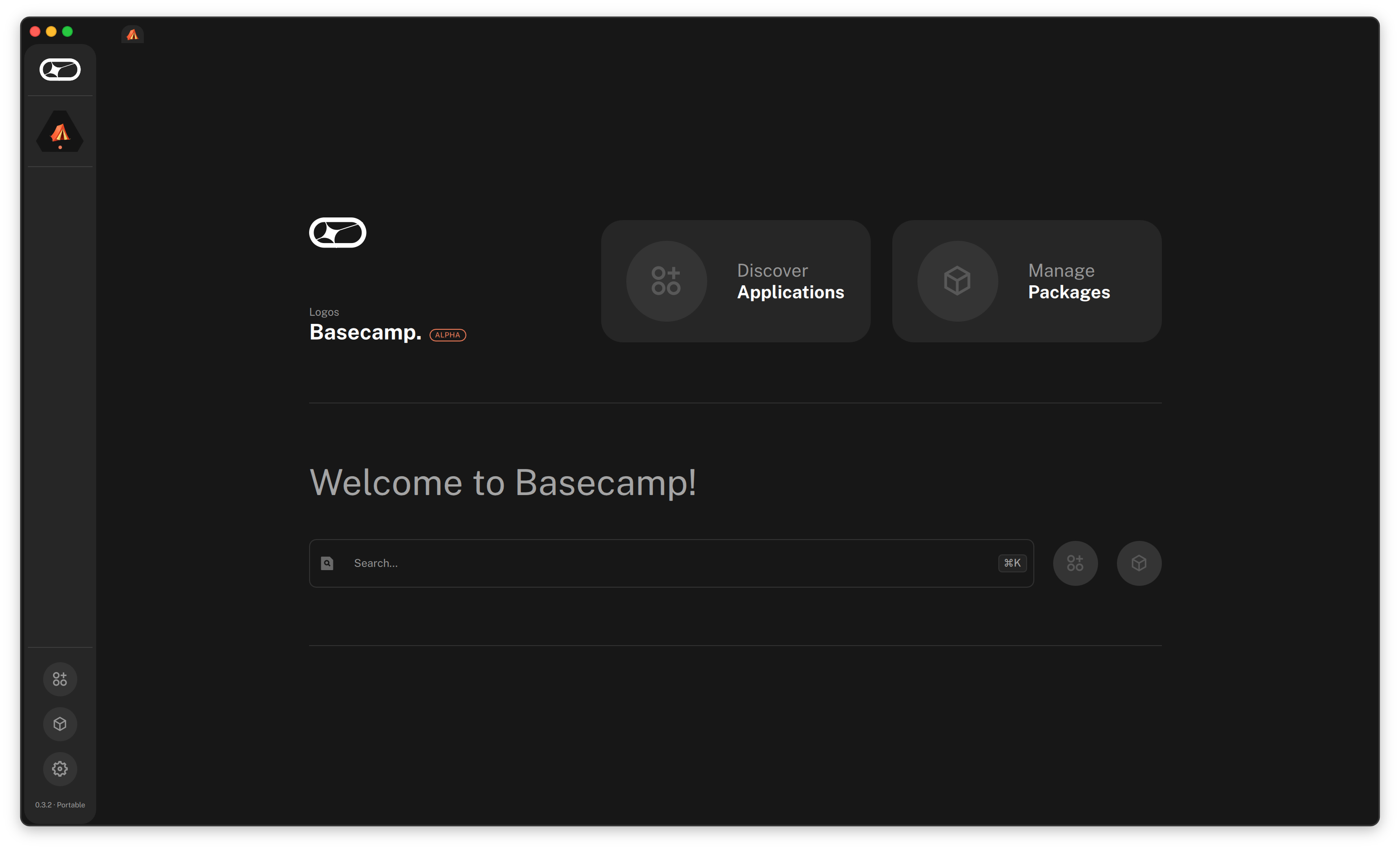
Start Basecamp. On the Welcome page, choose Manage Packages.
 Open larger screenshot
-
Choose Manage Repositories
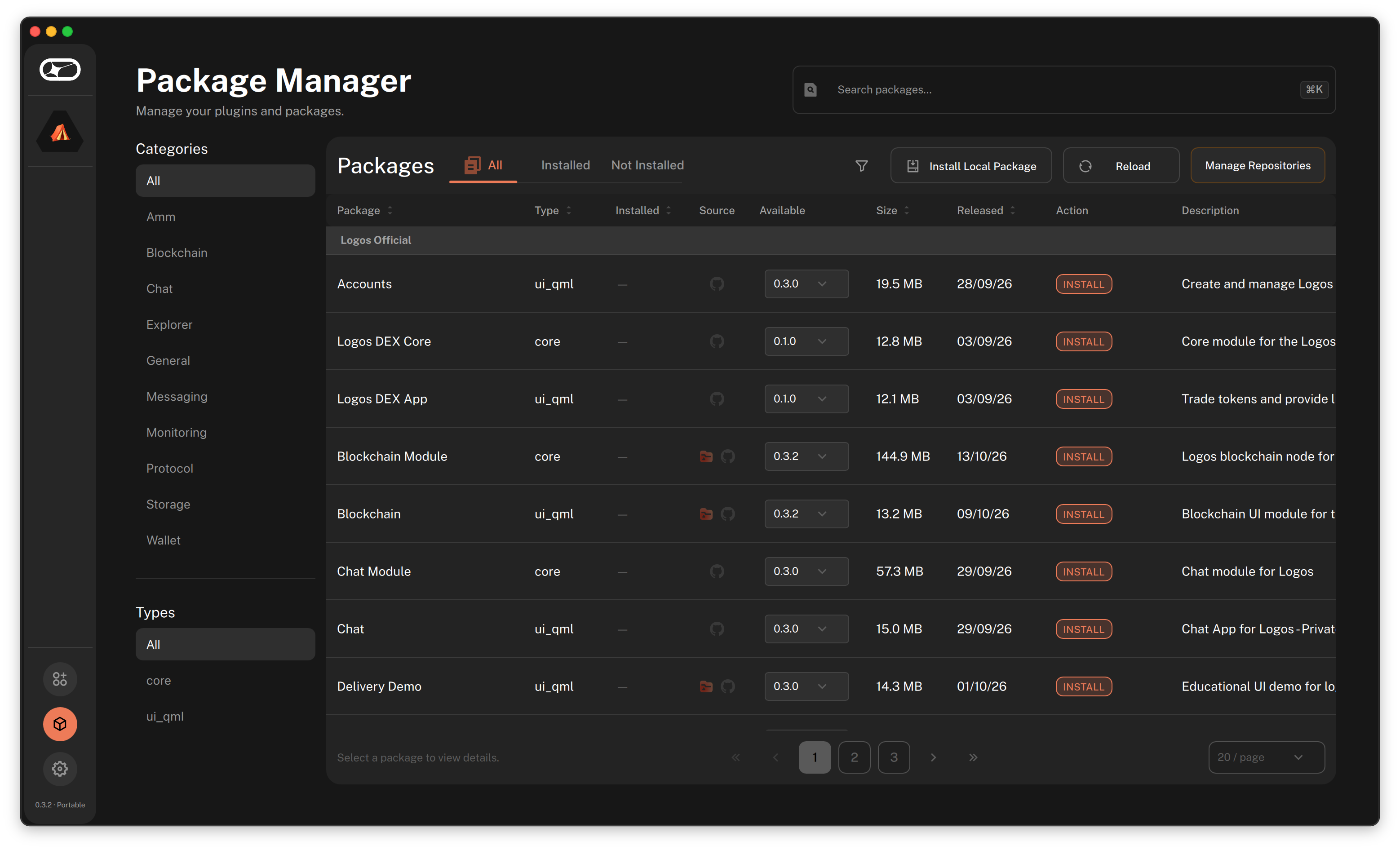
The Package Manager opens. Choose Manage Repositories at the top right of the package list.
 Open larger screenshot
-
Click the Add a repository box
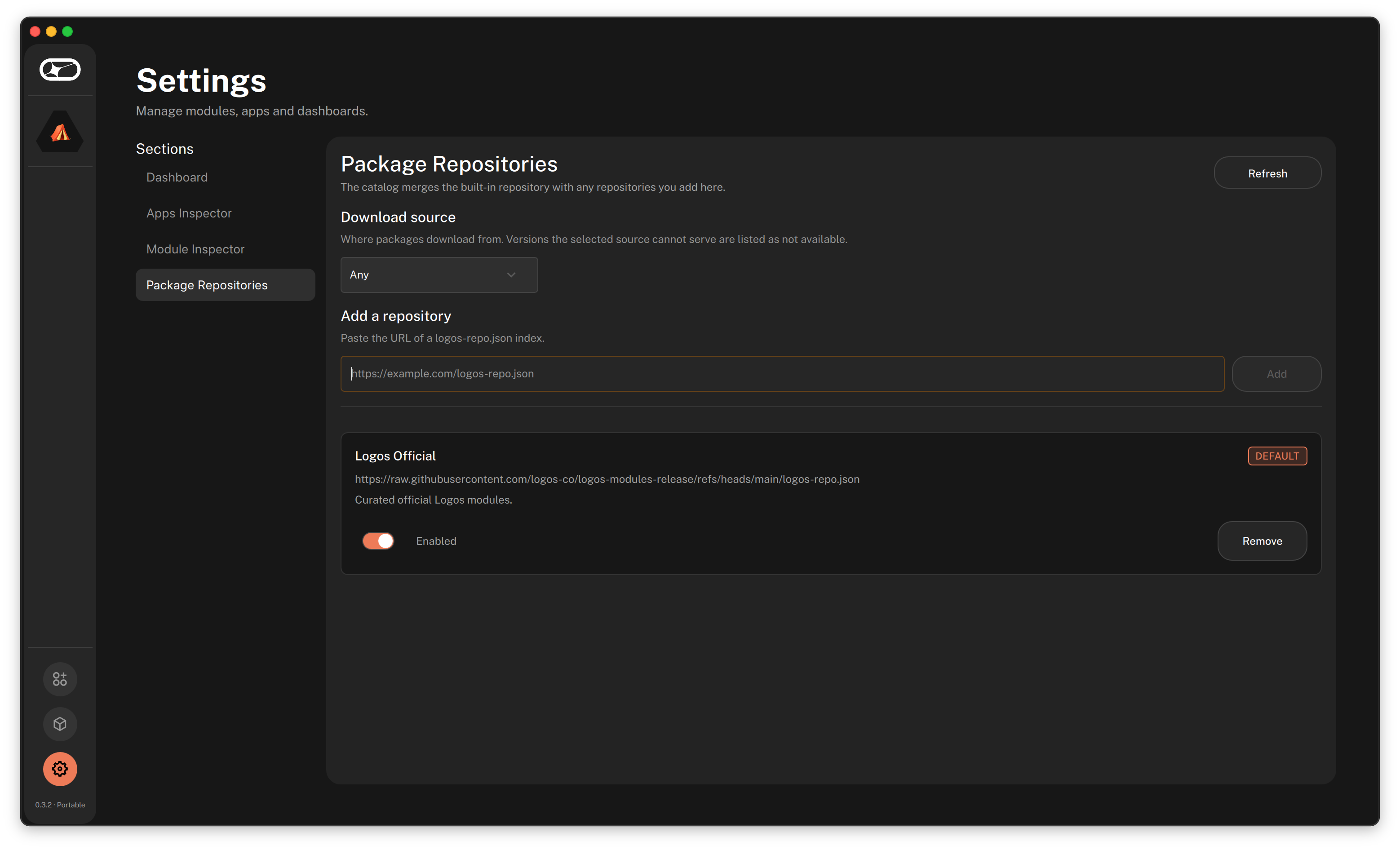
Settings opens on Package Repositories. Under Add a repository, click the empty box.
 Open larger screenshot
-
Paste the link and choose Add
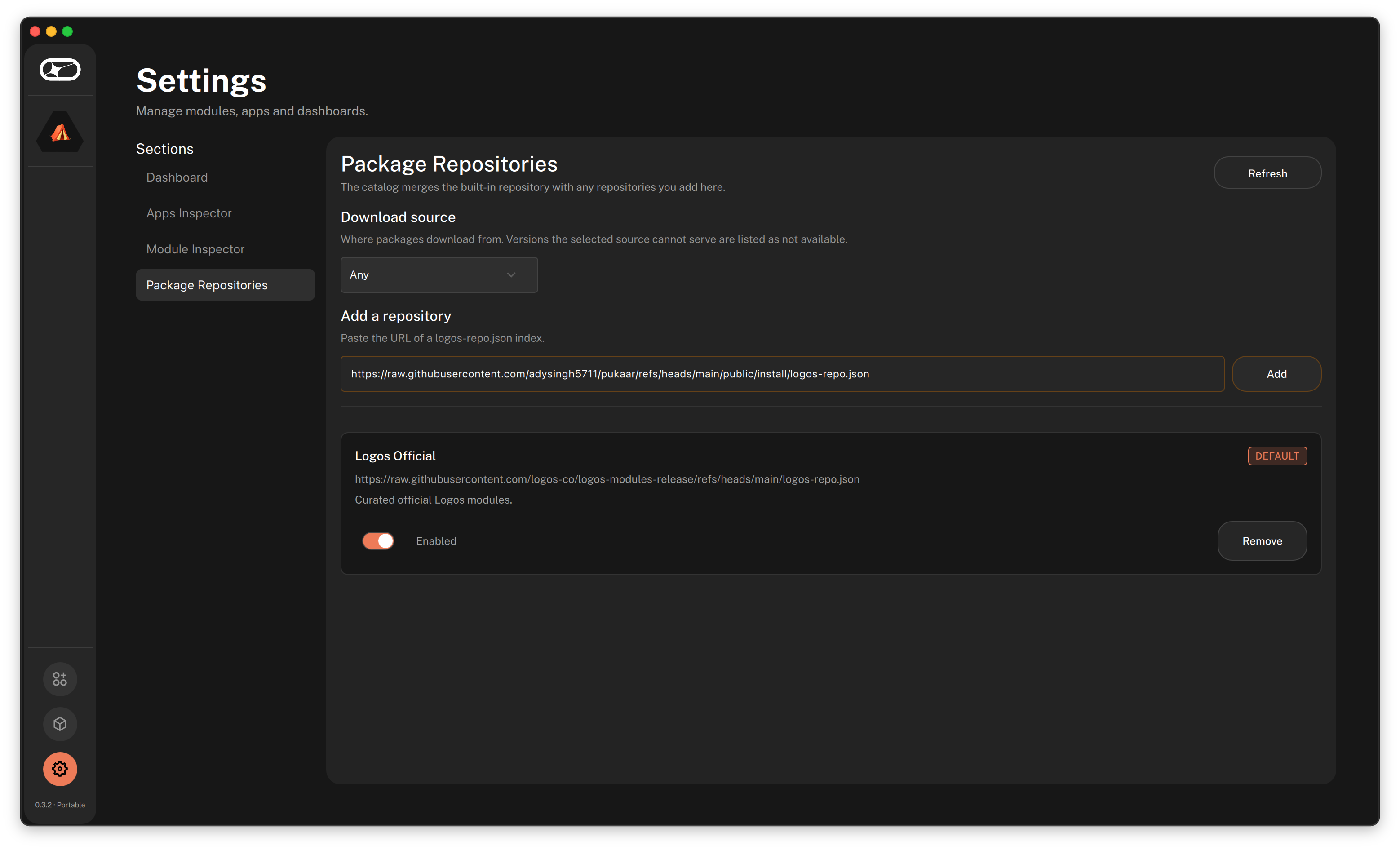
Paste the link from step 1, then choose Add.
 Open larger screenshot
-
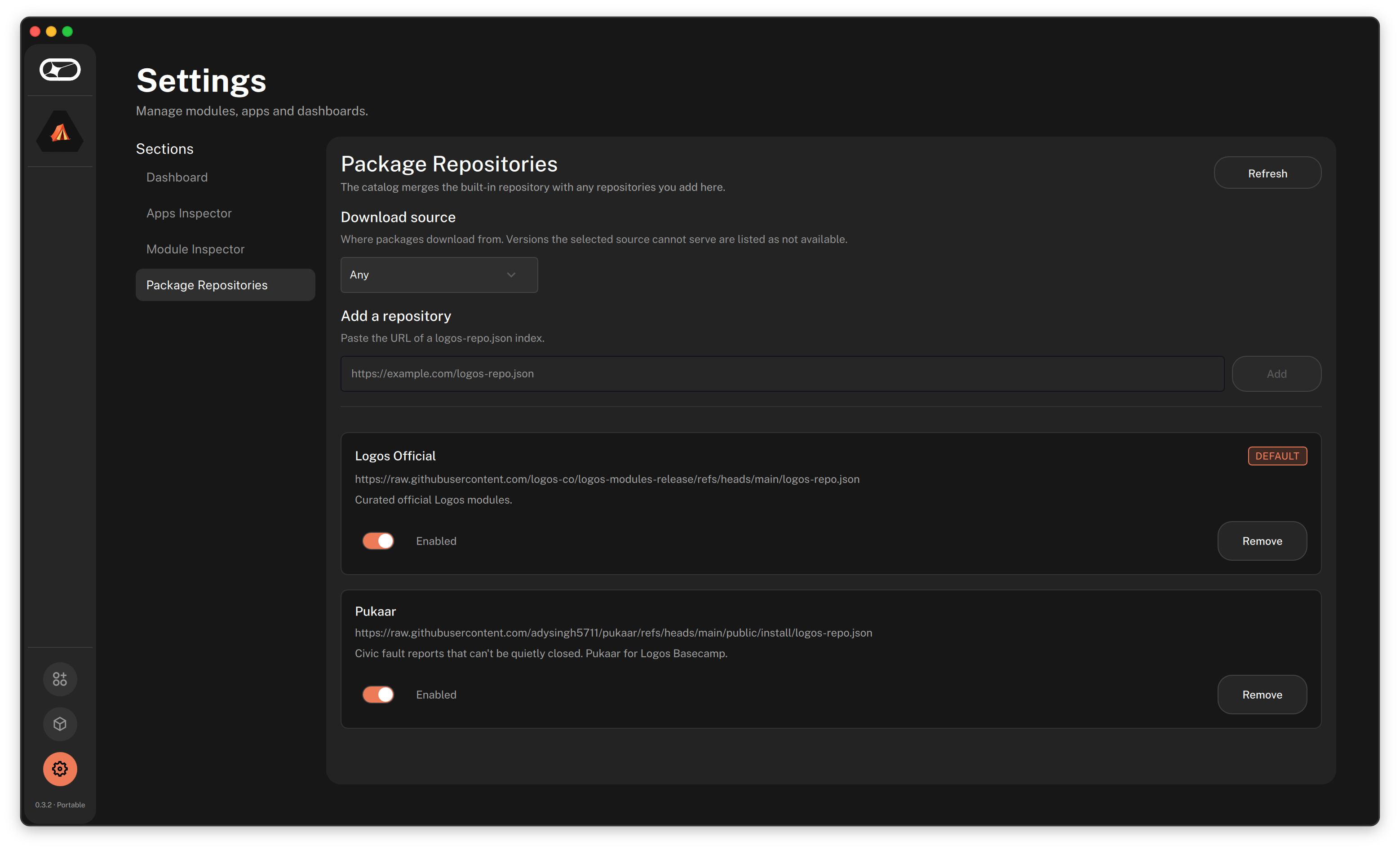
Check that Pukaar is listed
Pukaar now shows under Logos Official, switched on (Enabled).
 Open larger screenshot
-
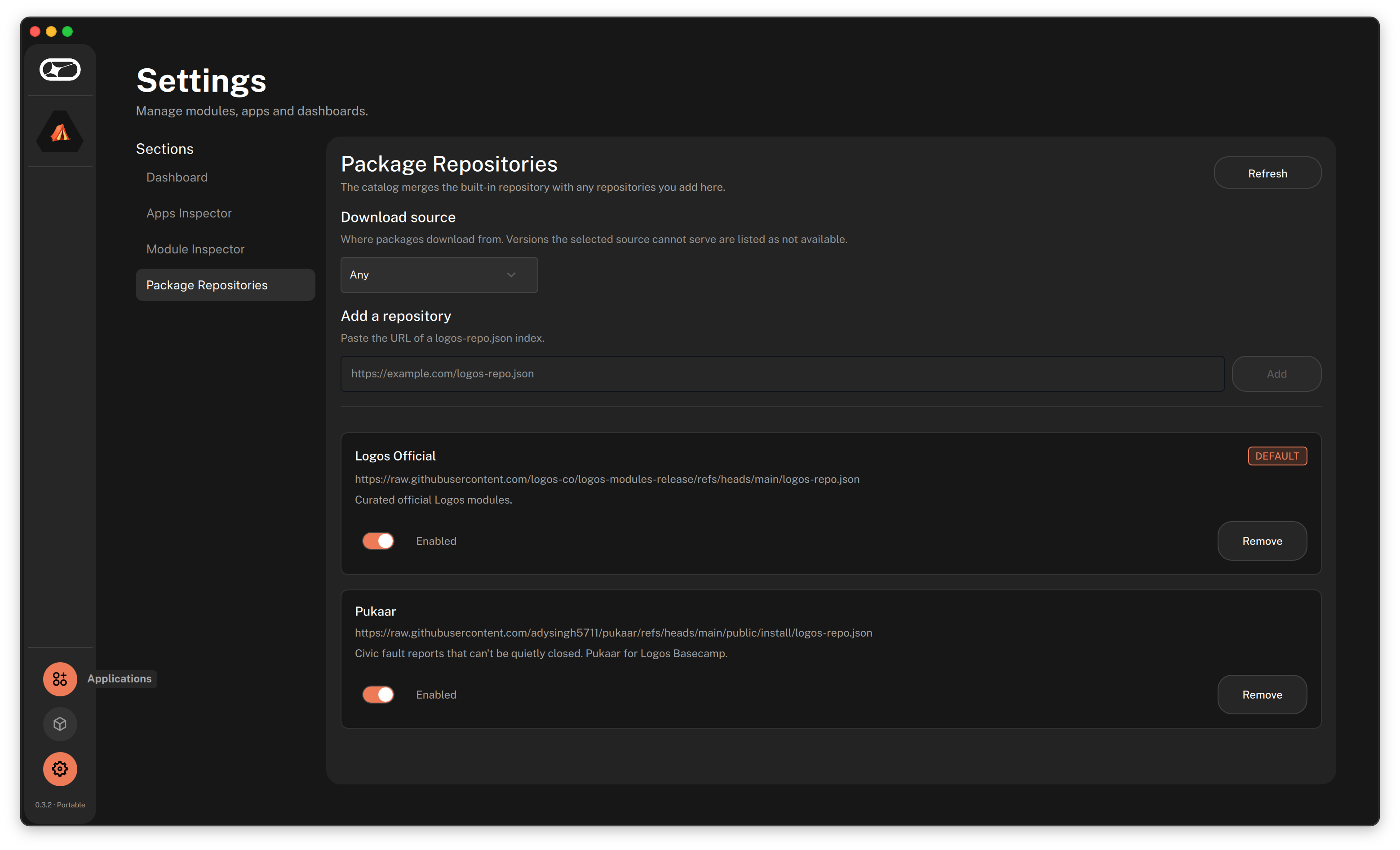
Open Applications
In the left bar, choose the Applications icon, the first of the three icons at the bottom.
 Open larger screenshot
-
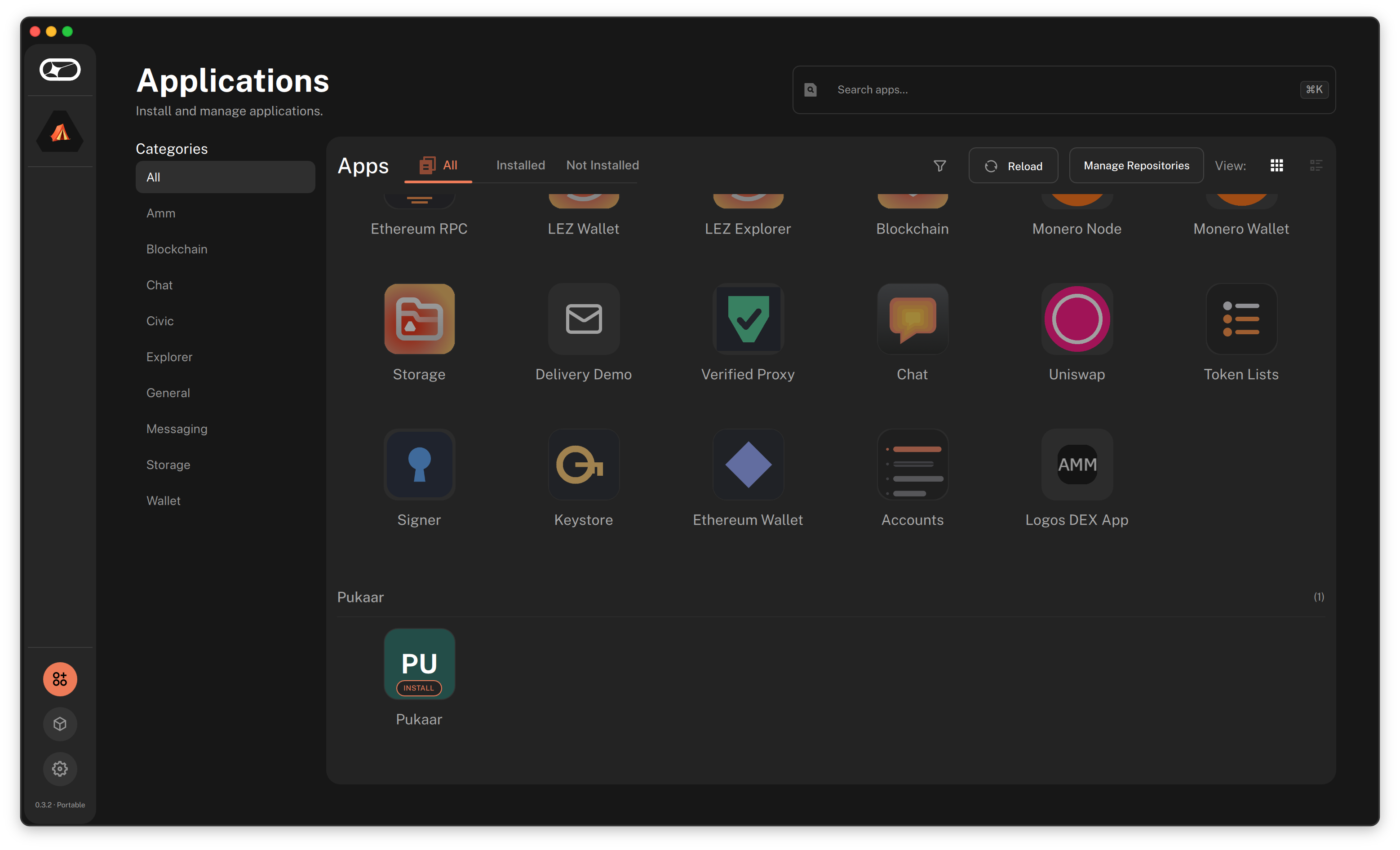
Find Pukaar and click it
Pukaar has its own group at the bottom of the list, marked INSTALL. If it is not there yet, wait for the list to refresh, or choose Reload.
 Open larger screenshot
-
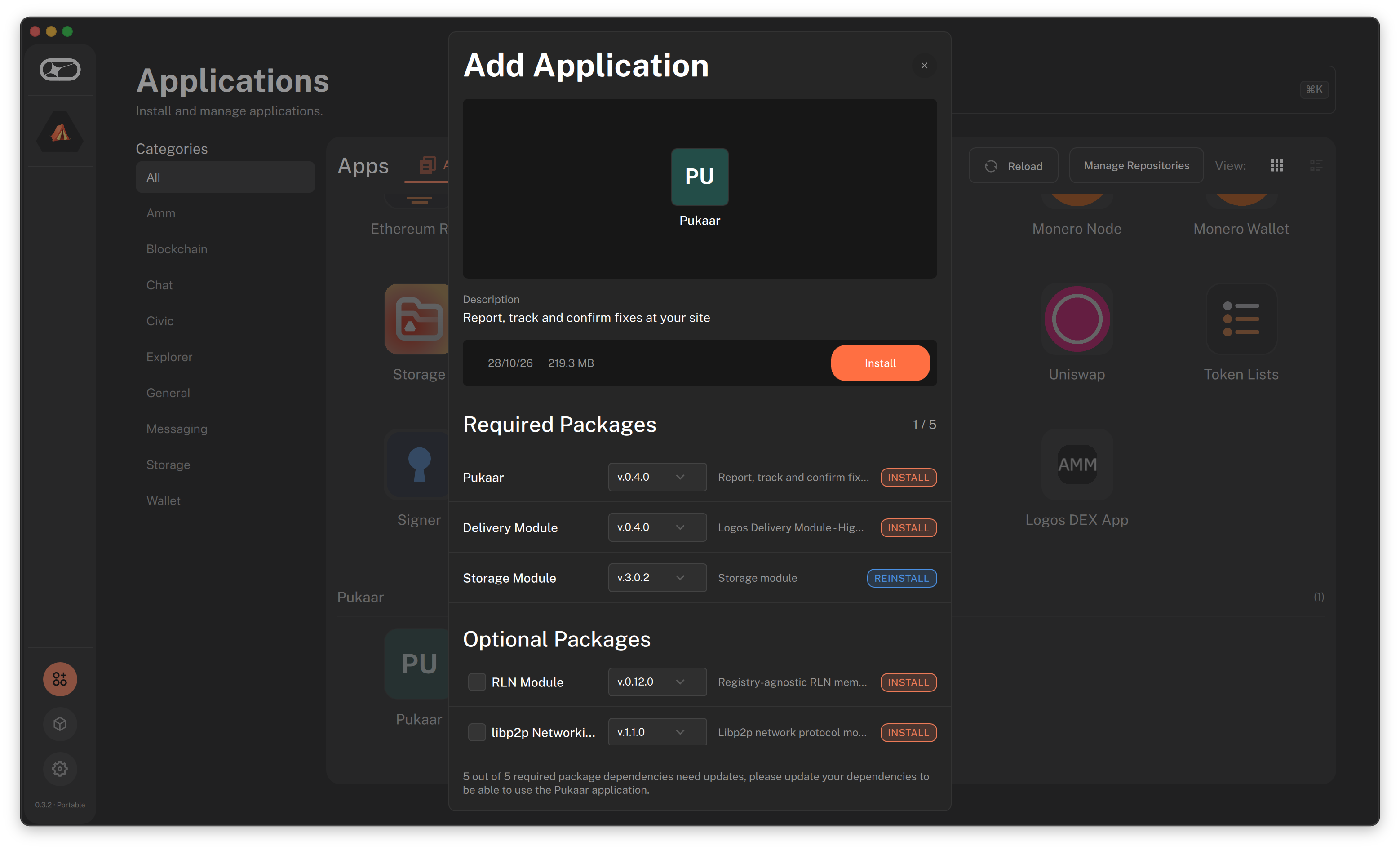
Choose Install
A window called Add Application lists the packages Pukaar needs. Choose Install and accept. Basecamp installs Pukaar and the modules it needs. Then do the restart step below.
Unsigned warning. If Basecamp warns that the package is not signed or not trusted, read the warning before you accept.
 Open larger screenshot
Install by hand
Use this if you cannot add a source. Download the files, then install each one from the Package Manager.
-
Download the five files
You will install them in this order. Skip any module that Basecamp already has.
delivery_module-0.4.0.lgx(sends your messages)storage_module-3.0.2.lgx(keeps files)chat_module-0.3.0.lgx(private chats)pukaar-core.lgx(Pukaar core)pukaar-ui.lgx(the Pukaar screens)
The first three come from the official Logos module catalog. The last two come from the Pukaar releases page, with a
SHA256SUMSfile you can use to check them. -
Open Basecamp, then Manage Packages
Start Basecamp. On the Welcome page, choose Manage Packages.
Open larger screenshot -
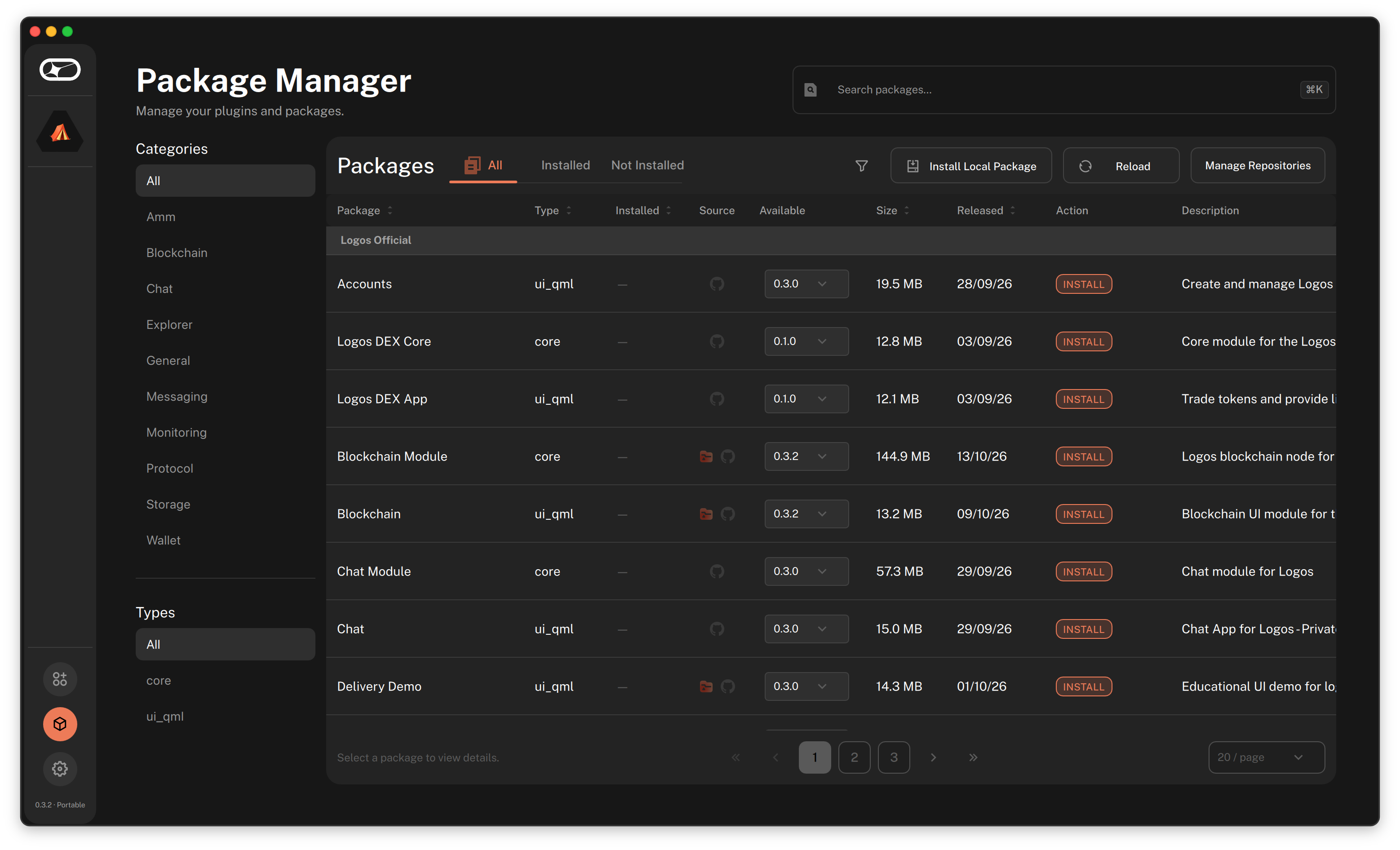
Choose Install Local Package
In the Package Manager, choose Install Local Package, then pick the first file. Repeat for each file, in the order above. Then do the restart step below.
 Open larger screenshot
After you install: restart Basecamp fully
Quit Basecamp completely
Closing the window is not enough.
Start Basecamp again
Delivery keeps the network it was first started with, so a full restart is the only way it picks up the right one.
Open Pukaar
To join a site, paste its site id under Join a site. To start a new site, choose Create a site.
Known limits
- There is no relay for sites with no internet yet.
- Intel Macs and Windows are not supported. On those computers Basecamp downloads the file but does not install it.
- One Basecamp profile holds one Pukaar identity. You can still join many sites, each with its own site id.
- The proof anchored on the Logos chain is only as lasting as the test network it uses.
Questions and answers
What is Pukaar?
Pukaar is a community issue tracker where residents confirm the fix. It is a Logos Basecamp app for a shared site such as a camp, a building or a neighborhood.
How does a fault get closed?
A steward claims the fix, with a note. Then the reporter, or two other residents, confirm it. The person who claims the fix can never confirm it, and the reporter can always reopen it.
What do I need to install Pukaar?
You need Logos Basecamp 0.3.1 or higher and an internet connection. Then add the Pukaar package source in Basecamp, or install five package files by hand.
Which computers does Pukaar run on?
Pukaar runs on a Mac with Apple silicon and on 64-bit Linux (Intel, AMD or ARM). Intel Macs and Windows are not supported.
Does Pukaar need a server?
No. Every member holds a full copy of the site history and syncs peer to peer over Logos Delivery. Checkpoints anchored on the Logos Execution Zone (LEZ) chain fix the history.
How do I join a site?
Open Pukaar and paste the site id under Join a site. Then read your fingerprint aloud so the admin can approve you.
What does Pukaar cost?
A site pays nothing to run Pukaar today. Messages go over a Logos Delivery network for development that charges no fee. Some items can cost money later, such as a paid pass to send messages on the network for production sites.
Are chat and meetings included?
Yes. Private chat, one to one and in groups, and meetings for up to eight people are built in. Meeting history is backed up in encrypted form on Logos Storage.